Release notes
Streams 
We organize information channels into what we call streams. Each stream is a sequence of posts delivered to the audience of that channel. A single stream can be used in one or multiple applications, and one application can consume one or many streams.
Streams can operate in two modes: release—where posts are shown after an application version change—and info—where posts appear immediately after publication and are not tied to any specific app version.
Posts 
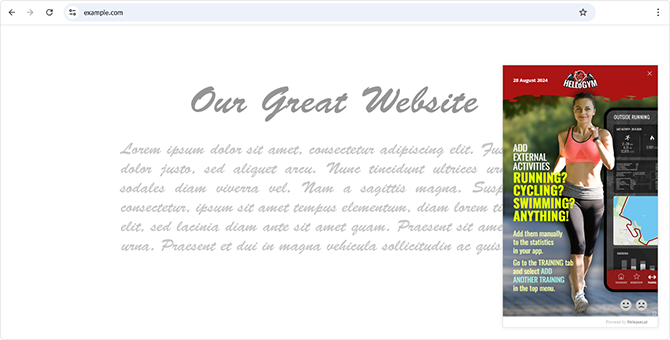
Posts are individual dialogs or banners that you want to display to users of your application. They can announce a new app or website release, but they can also deliver version-independent messages such as announcements, warnings, or even holiday greetings.
Each post is shown only once after publication and, optionally, after meeting an additional condition such as matching the application version. Posts are grouped into streams, and you can easily copy ready-made posts between streams.
Post builder
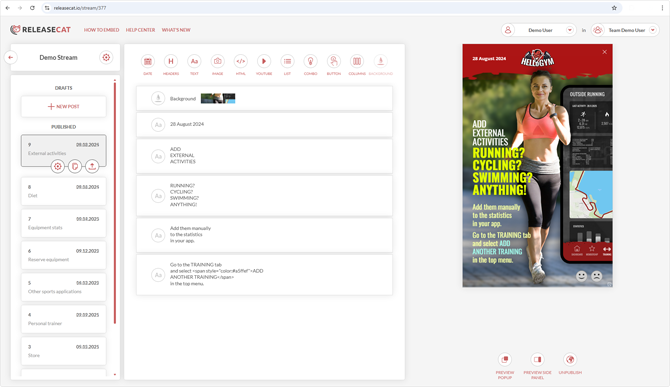
In Releasecat, composing posts is straightforward. You build them by adding visual components that, by default, span the full width of the post. If needed, you can split the entire post—or just parts of it—into one or multiple columns, giving you full control over the layout.
Within a post, you can include basic text components, headings, images, lists, and more. Components for embedded YouTube videos and animated GIFs are also available. Every component placed in a post can link to an external page.
Here you can see how a post is composed.
Side panels
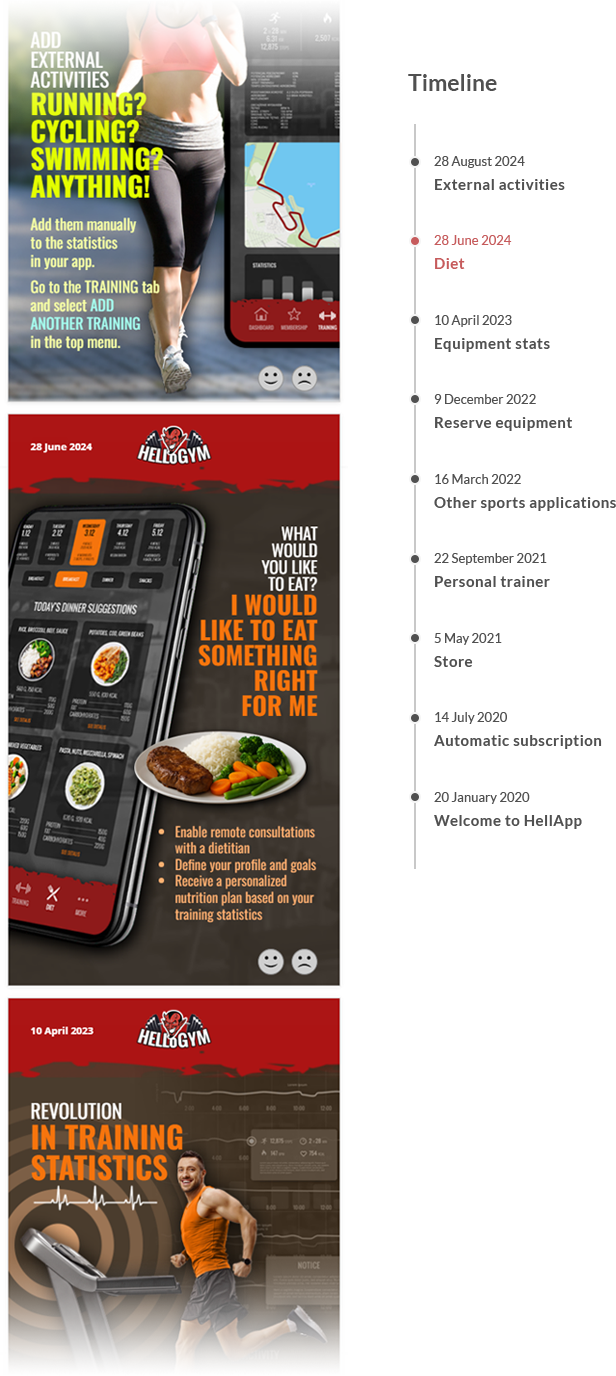
Users of applications integrated with Releasecat can click an icon on a post to open a side panel. This panel displays the history of previous posts.
Custom domain
If you want a stream's mini page to use a URL under your own domain—or if you want your applications to call only URLs within your domain—we offer this free of charge. Just contact us.
Multiplatform suport
Posts created in Releasecat can be easily integrated into your applications using ready-to-use methods we provide:
- For web applications and websites, we offer ready-made JavaScript scripts for displaying streams.
- For Windows, macOS, and Linux applications, you can download a ready-to-use agent that should be added to your installer and launched every time the application starts. The Releasecat agent is available as a standalone executable. If you need to adjust the agent to a security audit or want to introduce your own modifications, we also provide a repository with the agent's source code.
- Mobile applications are easiest to integrate by displaying the HTML source of a post inside a WebView dialog. For this purpose, we provide a channel that returns the post's HTML source.
- You can also redirect users to a ready-made mini web page containing the post history. Each stream comes with its own dedicated mini page, generated automatically by Releasecat.
User feedback
In the stream settings, you can enable the collection of user reactions. Once enabled, icons become available that allow users to leave feedback.

Statistics
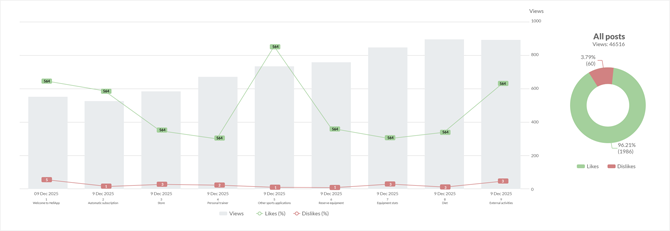
For each stream, you have access to the history of views for every post, along with the corresponding thumbs-up and thumbs-down clicks (if user feedback collection is enabled).
Team collaboration
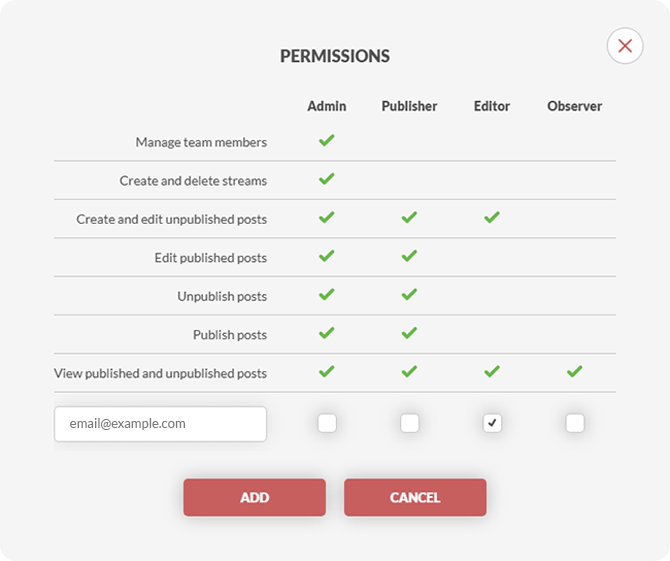
In Releasecat, every registered user is the administrator of their own team and can invite other registered users to join it. Within the limits of the selected plan, invited team members only need the free plan.
You can work both on your own behalf (within your own team) and in teams you've been invited to. Switching between teams you're currently working in is as easy as clicking an option in the menu.
Our staff in your team 
With the highest plan, you can delegate graphic and editing work to our staff. All work in this scope is conducted by real people working at Releasecat—we do not outsource it to AI agents. Certain limitations apply. If you're interested in extending your team with our staff, contact us.
App Metrics 
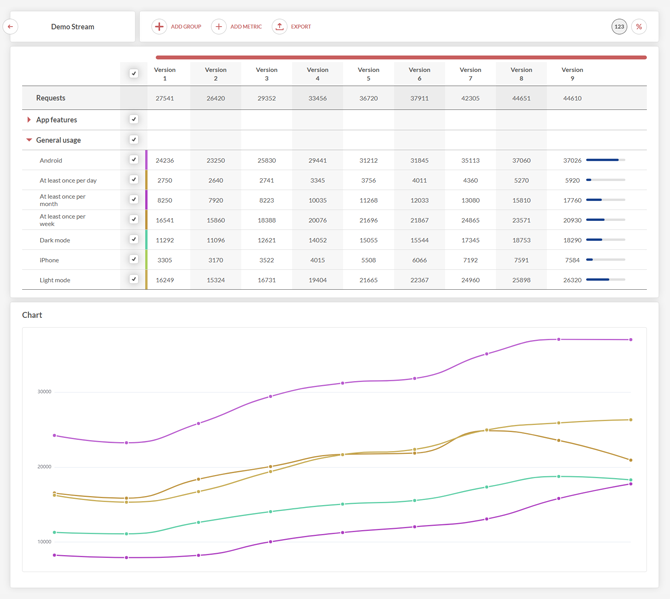
App Metrics is a Releasecat tool that allows you to track the popularity of individual features in your application. With App Metrics, you gain precise insight into how your application is actually used.
You can read more about this here: