
Announce new features
inside your app — in minutes
For SaaS founders and product managers whose teams ship weekly — and whose users never notice. ReleaseCat announces every release inside your product. One script tag, every platform.
Free plan · 30-day Pro trial · No credit card
Live demo
This page runs ReleaseCat.
See for yourself.
The buttons below call the same embed you would install. No mock-ups — a real release banner, served live on this very page.
live — served by the production embed, the one you'd ship
How it works
From zero to your first release note
01
Create your banner
Sign up and write your release note in the visual editor — with images, GIFs, and video. Or let the AI builder draft it for you.
02
Add one script tag
Paste this into your app once. That's the whole integration:
<script
  src="https://www.releasecat.io/embeds/index.min.js"
  data-stream="YOUR_STREAM_ID"
  defer></script>
03
Publish and watch
Users see the banner in your app and react with a like or dislike. Your statistics dashboard shows how every release landed.
WebiOSAndroidWindowsmacOSLinux
Feedback
Honest numbers on every release
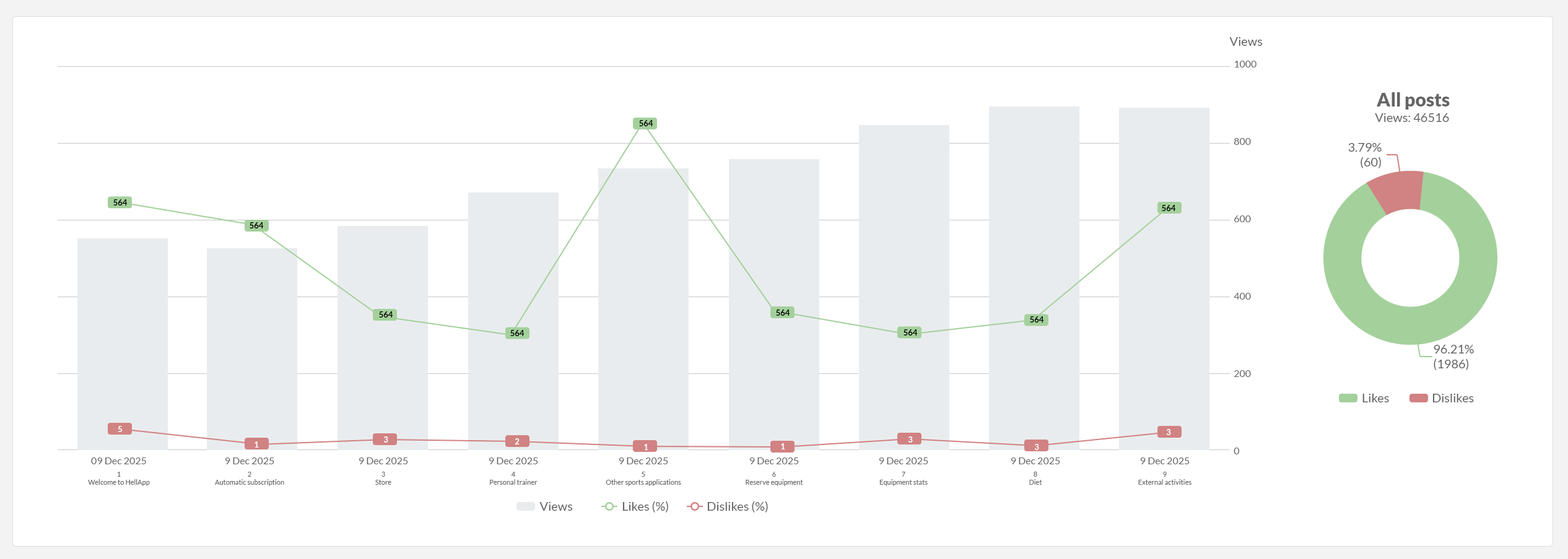
Views, likes, and dislikes per post — charted over time, exportable as PDF. Know within hours whether a release delighted users or confused them.
Bonus
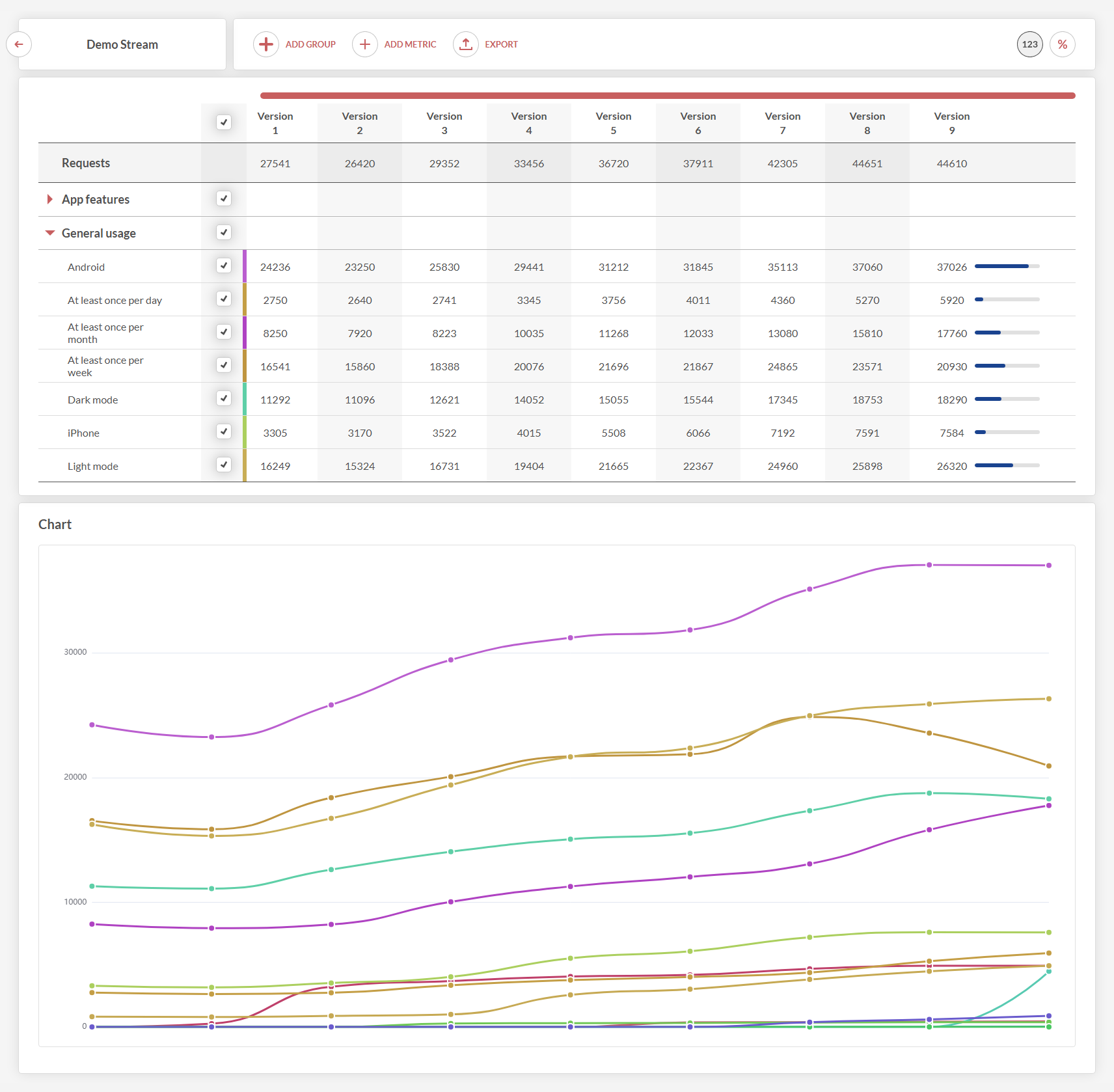
And one more thing: App Metrics. Beyond release notes, ReleaseCat can track which features actually get used in your app — so the roadmap follows data, not guesses. Included in the 30-day Pro trial from day one.
FAQ
Common questions
How long does the integration really take?
For a website or web app: paste one script tag, done — usually under 15 minutes including signup. Mobile apps use a WebView or your hosted changelog page, desktop apps use the same embed. No SDK rewrite, no backend changes.
What does it cost?
The free plan includes 1 stream and 1,000 monthly viewers — enough to try it on a real product. Paid plans start at $39/month. Every new account starts with 30 days of the Pro plan for free.
Do I need a credit card for the trial?
No. Sign up, and the 30-day Pro trial starts automatically. When it ends, you simply drop to the free plan — nothing is charged, nothing is deleted.
Will it slow my app down?
No. The embed script loads asynchronously after your app, weighs little, and shows nothing until there is a banner to show. Your app's load time stays untouched.
Do my users need accounts or personal data collected?
No. Banners show to everyone, and reactions are anonymous. ReleaseCat works without collecting personal data from your end users.
Can my whole team work on release notes?
Yes — roles like administrator, publisher, editor, and observer. Collaborators join on the free plan, so you never pay per teammate.
What if I have several products?
One subscription covers multiple streams — separate channels per product, platform, or language. No extra cost per app.
Stop shipping releases
nobody notices.
Free plan · 30-day Pro trial · No credit card